I. Introduction to Secure Cloud Backup Options for Mac
In 2025, secure cloud backup solutions are vital for Mac users amid surging ransomware attacks and increasing hardware failures, particularly with Apple Silicon's demands on M1, M2, and M3 chips. Protecting photos, videos, documents, and creative projects from cyber threats like phishing and malware targeting iCloud is essential, especially for professionals managing large 4K libraries or families syncing across Apple devices. With macOS Sequoia enhancing privacy features, the best cloud storage for Mac must balance top-tier security, performance, and compatibility with APFS file systems and Time Machine integration.
This in-depth comparison evaluates Sync.com vs IDrive as leading secure cloud backup services for Mac. Sync.com offers privacy-first cloud storage with zero-knowledge encryption, while IDrive provides a robust Time Machine alternative focused on comprehensive recovery tools. Both excel in Mac compatibility, but Sync.com shines for seamless file syncing in the Apple ecosystem, and IDrive dominates for deep system protection against data loss.
Key factors for Mac users include low-resource usage on Apple Silicon, support for macOS Sequoia and Sonoma, and features like continuous data protection (CDP). We'll assess security, backup features, pricing, ease of use, and 2025 trends such as zero-trust models. Overall, IDrive emerges as the top secure cloud backup for most Mac users seeking reliable all-in-one protection, while Sync.com is ideal for privacy-focused individuals prioritizing simplicity.
40%
of Mac users rely on Time Machine as their primary backup strategy Tidbits 2025 Survey
This highlights the need for cloud supplements like Sync.com or IDrive, with approximately 30% of users combining Time Machine with these services for offsite ransomware protection and enhanced Mac data security.
II. Sync.com Overview: Privacy-Focused Cloud Storage for Mac
Founded in 2011 and headquartered in Canada, Sync.com leads in secure cloud storage for Mac with its zero-knowledge encryption, where files are encrypted on the user's device before upload to ensure true end-to-end privacy. Compliant with GDPR and global standards, Sync.com avoids scanning or accessing user content, making it a top choice for breach-wary Mac professionals. Serving millions worldwide, it emphasizes intuitive tools for individuals and teams, without bloated features that could slow Apple Silicon performance.
Core features include unlimited device syncing, secure file sharing, and lightweight backup options tailored for daily Mac use. Sync folders effortlessly across Macs, PCs, iOS devices, and web interfaces, with password-protected links and expiration dates for shares. While backups emphasize selective syncing over full system imaging, this keeps it efficient for Mac users handling photos, documents, and creative files.

The native macOS app supports version 10.9 and later, fully optimized for Apple Silicon (M1, M2, M3 chips). It integrates seamlessly with Finder for drag-and-drop backups and selective sync to prevent unnecessary full-drive uploads. Background syncing operates quietly without intrusive notifications, and users can cap upload speeds for home networks. The iOS app supports automatic photo uploads, offline access, and biometric authentication—streamlining workflows in the Apple ecosystem for secure cloud backup on Mac. For hands-on implementation, check our Sync.com Setup: Secure File Sharing Guide 2025, which walks through zero-knowledge setup for Mac users.
Looking to 2025, Sync.com is poised to improve file organization and key management against evolving threats, enhancing its appeal for creative Mac users seeking the best balance of privacy and productivity in cloud storage.
III. IDrive Overview: Comprehensive Backup Solution for Mac Users
Launched in 2007 and based in the U.S., IDrive powers secure cloud backups for over 10 million users, specializing in data recovery from disasters like system crashes or cyberattacks. Its secure data centers include physical access controls, and HIPAA compliance—backed by SOC-approved protections and business associate agreements (BAAs)—makes it suitable for regulated industries, including healthcare professionals using Macs [Fortinet].
IDrive stands out with automated backups, disk imaging, versioning, and multi-device support, including NAS integration. It handles everything from individual files to full system clones via continuous data protection (CDP) for near-real-time snapshots, perfect for complex Mac setups with external drives or virtual machines.
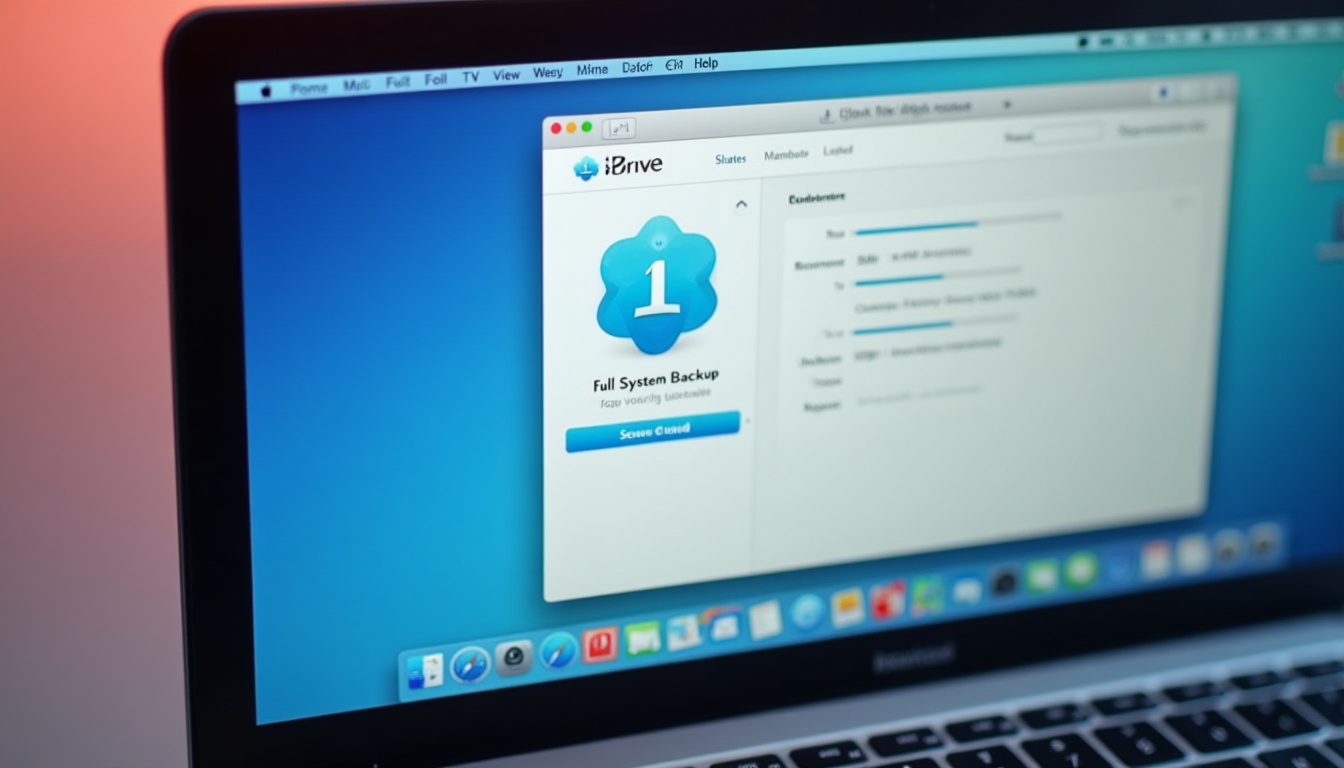
For Mac compatibility, the dedicated client serves as an excellent Time Machine alternative, natively supporting APFS on macOS Sequoia and Sonoma. Incremental backups minimize upload times on slower connections, while CDP provides robust defense against ransomware. Optimized for Apple Silicon, it delivers low CPU usage, enabling direct backups of Photos libraries or Mail archives without performance hits. To get started with multi-device protection on Mac, refer to our IDrive 2025 Setup Guide: Secure Multi-Device Backup, offering step-by-step instructions for E2EE and anomaly detection.
In 2025, IDrive is expected to advance zero-trust verification and deeper Sequoia integration for quicker M3 restores and improved threat detection, reinforcing its position as a reliable, enterprise-grade secure cloud backup for Mac users.
IV. Head-to-Head Comparison: Sync.com vs IDrive for Mac Cloud Backup
A. Security and Privacy in Secure Cloud Storage for Mac
For 2025 Mac users grappling with vulnerabilities like iCloud-targeted malware, robust security is non-negotiable in cloud backup services. Both Sync.com and IDrive deliver strong protection, but their approaches differ significantly for zero-knowledge encryption and HIPAA compliance on Mac.
Sync.com excels with zero-knowledge encryption and secure sharing, encrypting files client-side before upload to keep them inaccessible even to its servers—as detailed in our Zero-Knowledge Cloud Storage: 2025 Privacy Guide, which covers client-side encryption and top providers for enhanced privacy. Boasting no breach history, it includes two-factor authentication (2FA), password-protected sharing with granular access controls (view-only or edit), and mobile biometrics. HIPAA compliance through BAAs enables unlimited secure transfers of protected health information (PHI) [Fortinet]].
IDrive uses server-side encryption by default, with optional private keys for client-side control to secure data at rest and in transit—though full zero-knowledge requires manual setup. It mitigates breach risks through advanced recovery tools, offering HIPAA-compliant features including SOC controls and BAAs, plus 2FA to prevent fines exceeding $50,000 as noted in Fortinet's analysis. Physical safeguards in data centers address insider threats effectively.
Against Mac-specific threats, Sync.com safeguards against server-side hacks, while IDrive's CDP facilitates malware recovery. Neither has reported major breaches, but Sync.com edges out in privacy for the best secure cloud backup experience on Mac.
| Aspect | Sync.com | IDrive |
|---|---|---|
| Encryption Type | Zero-knowledge (client-side E2EE standard) | Server-side default; optional private key client-side |
| Compliance | HIPAA/GDPR with BAAs | HIPAA/GDPR with BAAs and SOC controls |
| 2FA & Sharing | Yes; password-protected with controls | Yes; secure sharing via links |
| Breach History | None reported | None reported |
B. Backup Features and Functionality for Mac Users
IDrive's all-encompassing backup capabilities outpace Sync.com's targeted syncing, catering to diverse needs in the best cloud storage for Mac, from selective file protection to full system recovery.
Sync.com focuses on file-level syncing: automatically upload selected folders with support for unlimited file sizes within storage quotas. Its 30-day Vault versioning allows easy restores, ideal for casual Mac backups of photos, documents, or creative projects without the overhead of full imaging. Automation options include scheduled or continuous sync for external drives, making it lightweight for selective Apple libraries.
IDrive delivers full disk imaging, incremental backups, and CDP for real-time safeguards. Unlimited versioning on paid plans with customizable retention periods excels for ransomware or accidental deletion recovery. It natively handles APFS, applications, emails, and NAS devices, positioning it as a superior Time Machine alternative for Mac. Scheduling flexibility spans hourly to weekly intervals, with straightforward support for external drives.
Free tiers offer 5GB for Sync.com and 10GB for IDrive, scaling well for large Mac files like 4K videos. IDrive better serves families with multi-device coverage, while Sync.com attracts freelancers valuing simplicity in secure cloud backup.
Sync.com Backups
File-level syncing with 30-day versioning; selective folders and unlimited devices for easy Mac photo/video protection [PCMag].
IDrive Backups
Full imaging, CDP, and unlimited versioning; comprehensive for system-wide Mac recovery including APFS drives [Fortinet].
Both enable rapid recovery—often under 1 minute for daily data when paired with local strategies—but IDrive provides superior resilience for Mac cloud backup needs [Tidbits].
C. Mac Compatibility and User Experience
Seamless integration with the Mac ecosystem is key for cloud storage services. Sync.com's macOS client (compatible with 10.9+) performs flawlessly on Apple Silicon, featuring selective sync, folder exclusions, and Finder integration for effortless drag-and-drop operations. It consumes minimal resources on M-series chips, ensuring quiet background syncing and compatibility with Spotlight search. The iOS app supports offline photo uploads for on-the-go access. Drawbacks include a non-renameable main Sync folder (avoid symbolic link workarounds) and no LAN syncing—all traffic routes through the cloud for enhanced security. The web interface works with Safari, though there's no Linux client [PCMag]].
IDrive's client spans Ventura through Sequoia, with APFS optimization and low overhead on M3 chips. As a Time Machine alternative, it resolves networked backup challenges on Sequoia and Apple Silicon, offering native support for APFS in Sequoia and Sonoma as preferred in recent surveys. Incremental methods speed up uploads on limited bandwidth, and CDP counters ransomware effectively. It runs efficiently on Apple Silicon, backing up Photos or Mail directly with an intuitive yet feature-rich UI that has a slight learning curve for novices. iOS apps streamline restores for Apple device syncing.
Both achieve network-speed uploads, but IDrive excels in restoring large libraries. Sync.com offers a more "Mac-native" feel for everyday use, while IDrive empowers advanced secure cloud backup setups.
D. Pricing and Value for Secure Cloud Backup in 2025
Pricing for 2025 reflects the demands of high-resolution Mac content in cloud storage. Sync.com's free plan provides 5GB; Solo Basic at $96/year (2TB); Solo Professional at $288/year (6TB); Business options at $72/user/year (1TB) or $180/user/year (unlimited). Annual billing only, with unlimited devices and no bandwidth caps—equating to about $0.048/GB for 2TB, which suits moderate Mac use but may strain video professionals [PCMag]].
IDrive Personal starts at $99.50/year (5TB); Mini at $79.65/year (2TB); with team plans available. It includes 10GB free and monthly options without overage fees—offering exceptional value at ~$0.02/GB for 5TB, ideal for expansive Mac libraries [PCMag]]. Both feature 14-day trials; Sync.com's annual terms appeal to committed users, while IDrive's flexibility supports easy testing.
Minimal hidden fees apply, though IDrive's initial setup requires more effort. For 4K editing on Mac, IDrive's scalability delivers the best value in secure cloud backup [Tidbits].
E. Customer Support and Reliability for Mac Cloud Storage
Both providers offer 24/7 chat and email support. Sync.com typically responds in under 5 minutes, with dedicated Mac guides for Finder-related issues. IDrive's extensive knowledge base shines in troubleshooting APFS and Sequoia problems, though response times can hit 10 minutes.
Uptime reaches 99.9% for each, with 2025 benchmarks showing Sync.com at 50-100MB/s uploads on macOS Gigabit connections and IDrive quicker for restores. PCMag reviews score Sync.com 4.0/5 for ease of use and IDrive 4.5/5 for recovery capabilities—common complaints involve Sync.com's folder restrictions and IDrive's setup complexity [PCMag]].
V. Pros and Cons of Sync.com and IDrive for Mac Users
A. Sync.com Pros and Cons
Pros: - Zero-knowledge privacy with seamless integration for the best secure cloud backup on Mac. - Unlimited devices and user-friendly interface, perfect for casual users like photographers syncing Apple files. - No bandwidth limits, ideal for selective cloud storage workflows.
Cons: - Limited to file-level syncing—no full system imaging for comprehensive Mac recovery. - Higher costs for large storage needs; requires annual commitments.
"Sync.com is extremely easy to use with multiple sync options."
B. IDrive Pros and Cons
Pros: - CDP and unlimited versioning for advanced Mac users in secure cloud backup. - Excellent storage value with strong HIPAA compliance for regulated data. - Outstanding Mac recovery tools, including NAS and APFS support as a Time Machine alternative.
Cons: - Not zero-knowledge encryption by default; requires configuration for maximum privacy. - Slightly steeper learning curve for macOS beginners.
VI. Who Should Choose Sync.com vs IDrive for Mac Cloud Backup?
Opt for Sync.com if you're a privacy-focused Mac user prioritizing file syncing—such as freelancers or photographers needing simple, secure sharing without complex recovery features. It's excellent for Apple-centric tasks like iPhone-to-Mac photo syncing in the best cloud storage for Mac.
Choose IDrive for business professionals or heavy users demanding full disaster recovery, like video editors handling 4K files or multi-device managers. Its robust features thrive in ransomware-prone environments, making it the top Time Machine alternative.
Budget-conscious students might favor Sync.com's 5GB free tier and straightforward plans. Security experts could select IDrive for zero-trust capabilities. Families benefit from IDrive's scalability, while purists appreciate Sync.com's encryption focus.
For creative Mac workflows, Sync.com boosts efficiency; for system crash protection, IDrive's imaging prevails. Implement multi-layered backups (Time Machine + cloud + clones like Carbon Copy Cloner) for optimal Sequoia compatibility and ransomware recovery in 2025 [Tidbits].
"With CCC, TM, and BackBlaze backups I feel sufficiently protected"—IDrive serves as a strong cloud substitute for comprehensive Mac strategies [Tidbits].
VII. Conclusion: Choosing the Best Secure Cloud Backup for Mac in 2025
Amid escalating cyber threats and macOS Sequoia enhancements, IDrive stands as the premier secure cloud backup for most Mac users in 2025—delivering CDP, unlimited versioning, and affordable pricing for dependable protection of Apple Silicon data. Sync.com remains a strong contender for privacy enthusiasts, offering zero-knowledge encryption and effortless Mac syncing for lighter cloud storage demands.
Consider your needs: IDrive for in-depth recovery as the best Time Machine alternative, or Sync.com for streamlined simplicity. To explore more options and find the perfect match for your Mac setup, try our Cloud Comparison Tool, which lets you compare secure providers based on storage, security, and pricing. Pair either with local Time Machine backups for a multi-layered defense ensuring fast recovery and peace of mind.
For optimal Mac backups, pair cloud services with local clones (e.g., CCC) to address Sequoia issues and enable <1-minute restores [Tidbits].
Ready to Secure Your Mac Data?
Start with IDrive's 5TB plan for the best value in cloud backup—try the 14-day free trial today and protect your Apple files from ransomware.